
Used FANUC ROBOSHOT: How to Verify Mold Protection Before You Buy
Ask for model-specific evidence of mold protection on a used FANUC ROBOSHOT. Check the monitoring setup, normal cycle and approved fault response.
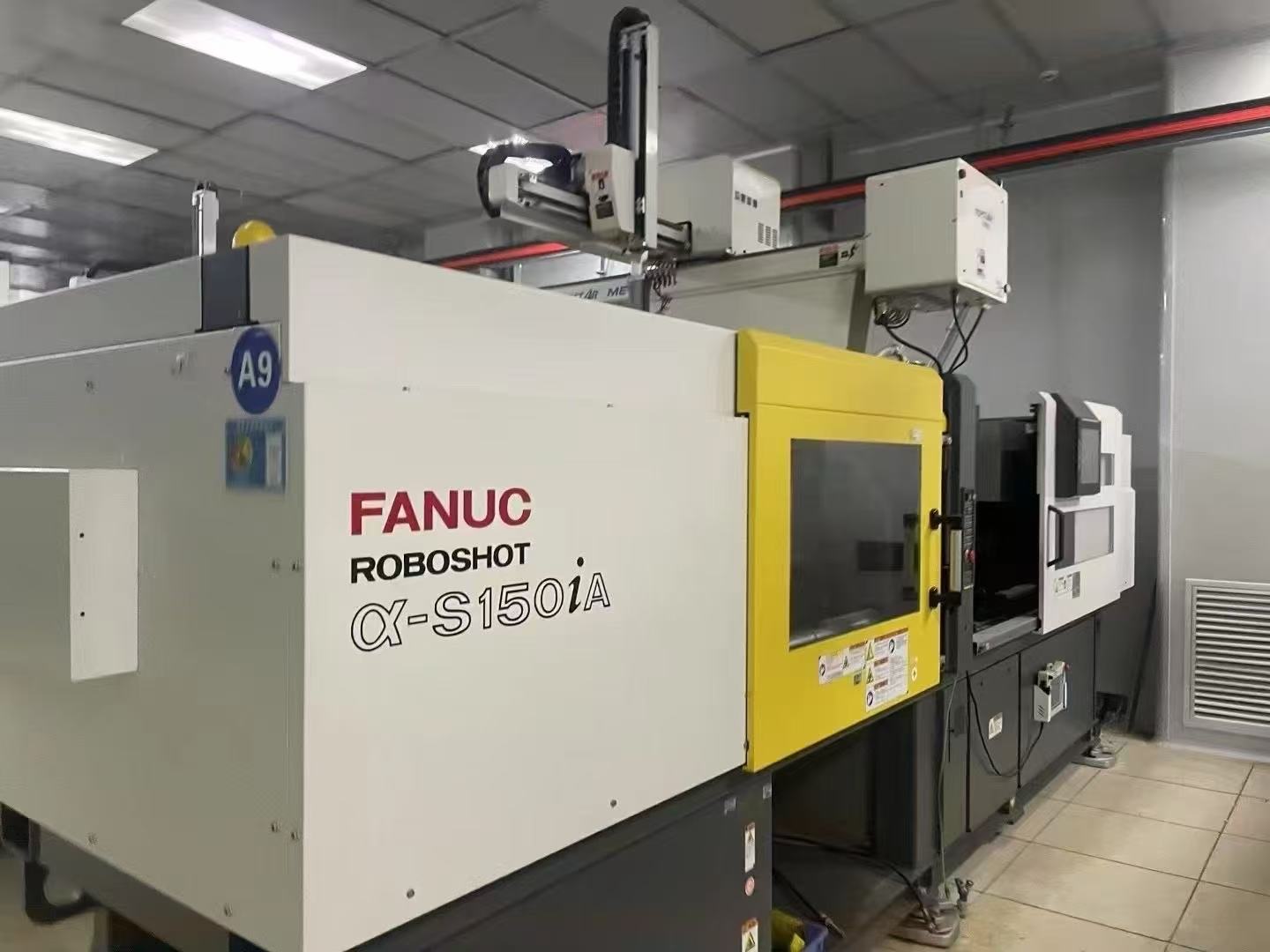
When buying a used FANUC ROBOSHOT, ask the seller to show the mold protection available on the offered machine, the setup used for your tool or an agreed substitute, and the result of an approved response check. Tie the evidence to the machine’s serial number and controller. A standard production video can show that the press cycles, while the response check shows how the demonstrated setup reacts to the specified abnormal condition.
Photo shows a FANUC ROBOSHOT α-S150iA as a model reference. The α-SiB brochure cited below describes a different generation.
Separate the series brochure from the installed controls
FANUC identifies ROBOSHOT as an electric injection molding machine range. Its α-SiB brochure describes monitoring servo load during relevant movements to detect deviations and interrupt motion. Use that description to frame your request. The offered generation, software, enabled functions and tool setup determine what your inspector can verify.
Start with the nameplate, full model, controller screen and manual for the specific machine. Ask the seller to identify which closing, opening or ejection functions are available and which ones matter for your mold. For example, a mold with a sliding core can have a different concern from a mold where a retained part is the main risk.
Collect evidence in this order
| Ask the seller to show | What you can decide | What to keep open |
|---|---|---|
| Machine identity, software information and the actual mold protection screen | Which functions are present and can be reviewed on the offered press. | Whether each function can be set up for your mold. |
| Normal movement on an agreed tool, with the monitoring window and settings recorded where available | Which movements and conditions form the reference for the trial. | Whether the same setup transfers to a different tool or operating condition. |
| A manufacturer-approved or qualified service provider’s response check with guards in use | What the machine displays and which movement it interrupts in the specific test. | Any movement, mold-specific check or condition excluded from the demonstration. |
| A copy of the agreed settings and a restart record | What the buyer will receive and how the demonstration result can be reproduced. | Who will set up and verify the production mold after installation. |
Do not improvise an obstruction, put hands inside the mold area or bypass an interlock to recreate a video. Have the qualified technician agree the method and the expected response before testing. Mold protection concerns the tool and its movements. Personnel guarding and interlock checks require their own acceptance items.
Write the trial result into the purchase terms
Identify the machine, mold, motion tested, monitoring settings and expected response in the inspection record. If you cannot ship your production mold for the trial, write down what the substitute proves and which setup and response checks will be repeated at your plant. Assign the technician, trial date and handling of an unresolved result in the quotation.
Use the used machine acceptance test guide to record the results. For other electric machine options and common buying checks, see Used Japanese Machines.
Frequently asked questions
Does a mold protection menu prove the feature works on my tool?
It confirms the screen is present. Verify the active functions and the agreed response with the specific tool or test arrangement before accepting that part of the offer.
Can the seller send a video?
Yes. Ask for a continuous record with the serial number, settings, agreed event and resulting controller state visible. A witnessed check can close any item the video leaves unresolved.
Discuss a used FANUC ROBOSHOT with GEEPOW. Include the full model, mold description and the movements you need to verify.